
Managing people by message and spreadsheet doesn't scale.
Schedules in a group chat.
Shift swaps agreed over text, and nobody knows the final version.
Hours that don't add up.
Payroll time comes around and everyone's hours have to be counted by hand.
Cleanings unevenly split.
One person with six check-outs and another on a day off, without anyone noticing.
How it works.
Create the schedules
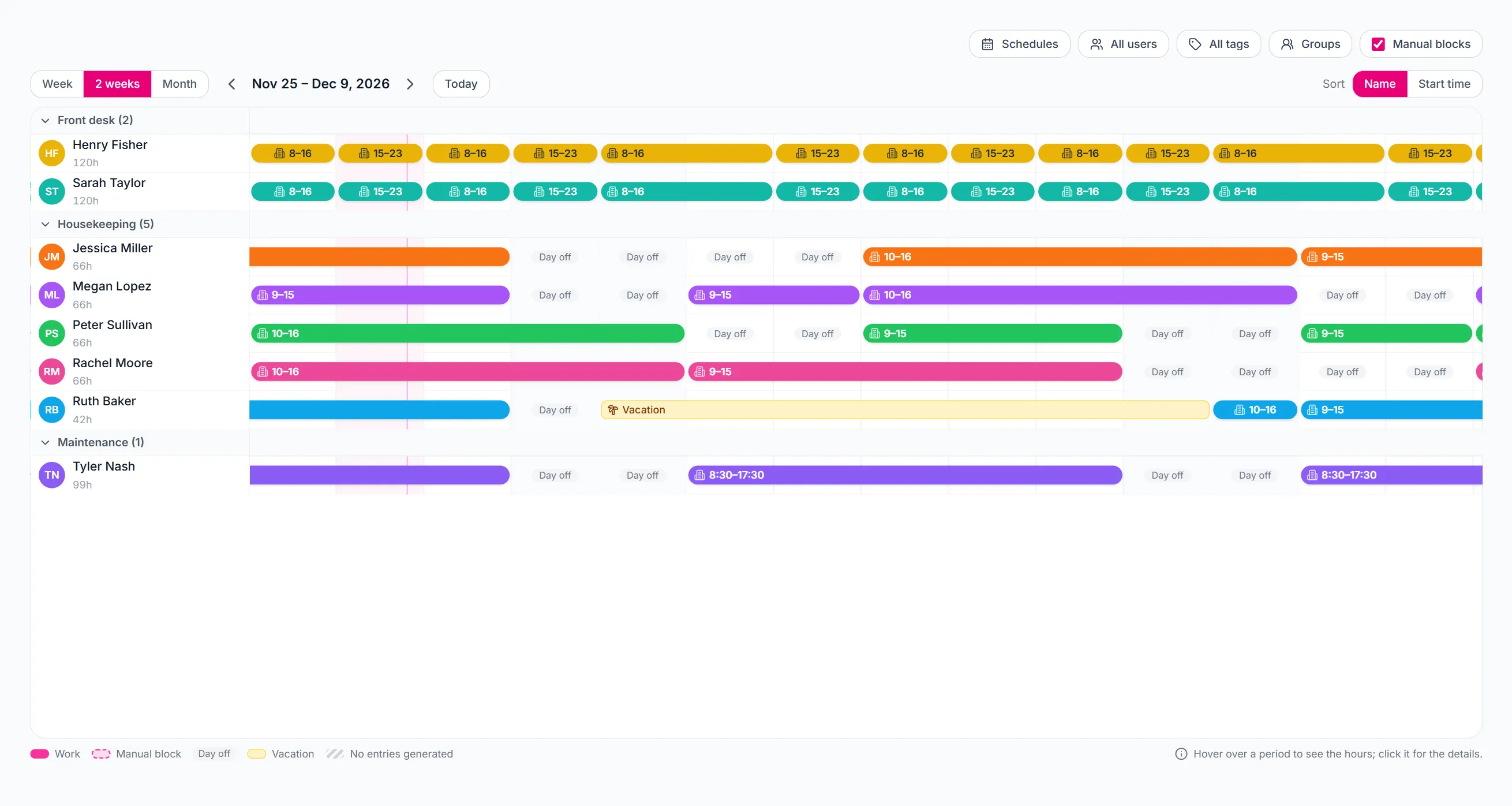
Set shifts by week, two weeks or month, by group and by person, with time off and days off.
The team clocks in
Each person clocks in and out on the platform.
Cleanings follow the schedules
Cleaning tasks are assigned to whoever is working that day.
What's included.
Work schedules
Weekly, two-week or monthly view, with each person's shifts and planned hours.
Time off and days off
Time-off requests and records on the same calendar.
Time clock
Clock-in and clock-out records for every team member.
HR reports
Logged and planned hours per person, for the period you choose.
Groups and tags
Cleaning, maintenance, front desk. Each group with its own schedules.
Multiple users
Each person with their own access and the right permissions.
Everything in view for the manager.
- How many people are working each day
- Planned hours per person in the period
- Manual blocks for exceptions
- Automatic assignment of cleanings by schedule
- Your team gets access codes from the platform
Frequently asked questions.
Which plan includes team management?
The Business plan: schedules, time off, time clock, HR reports and multiple users.
How do they clock in?
Each person clocks in and out on the platform, with their own access.
Are cleanings assigned automatically?
Yes. On Business, cleanings are assigned to whoever is working, according to the schedules.
Can I export the hours?
HR reports show each person's hours for the period you choose.
Is team management on Pro?
No. Schedules, time off, time clock, HR reports and multiple users are on Business.