
Your operations can't run on scattered messages.
Cleanings arranged over text.
Mixed-up times, forgotten rooms and guests at the door of a property that hasn't been cleaned.
Nobody knows who's doing what.
Without a shared board, everyone has their own list and priorities get lost.
Repairs that never get done.
The broken shower only shows up in a review, weeks later.
How it works.
The booking creates the task
Every check-out creates a cleaning with the property, the check-out time, the next arrival and the number of guests.
Your team gets it and gets it done
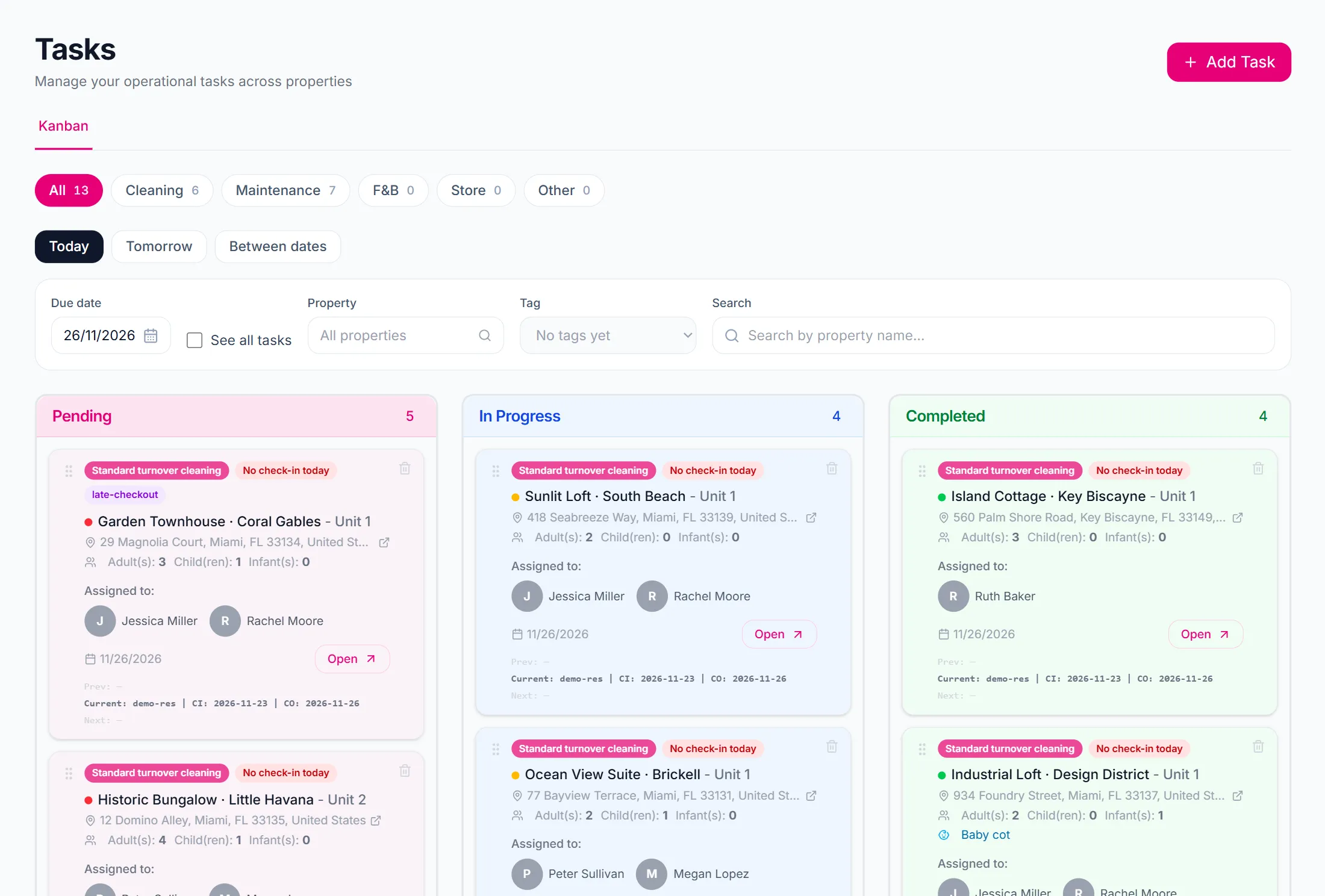
Tasks appear on a board by status: pending, in progress and completed. Each one with the person assigned.
Repairs go in the same place
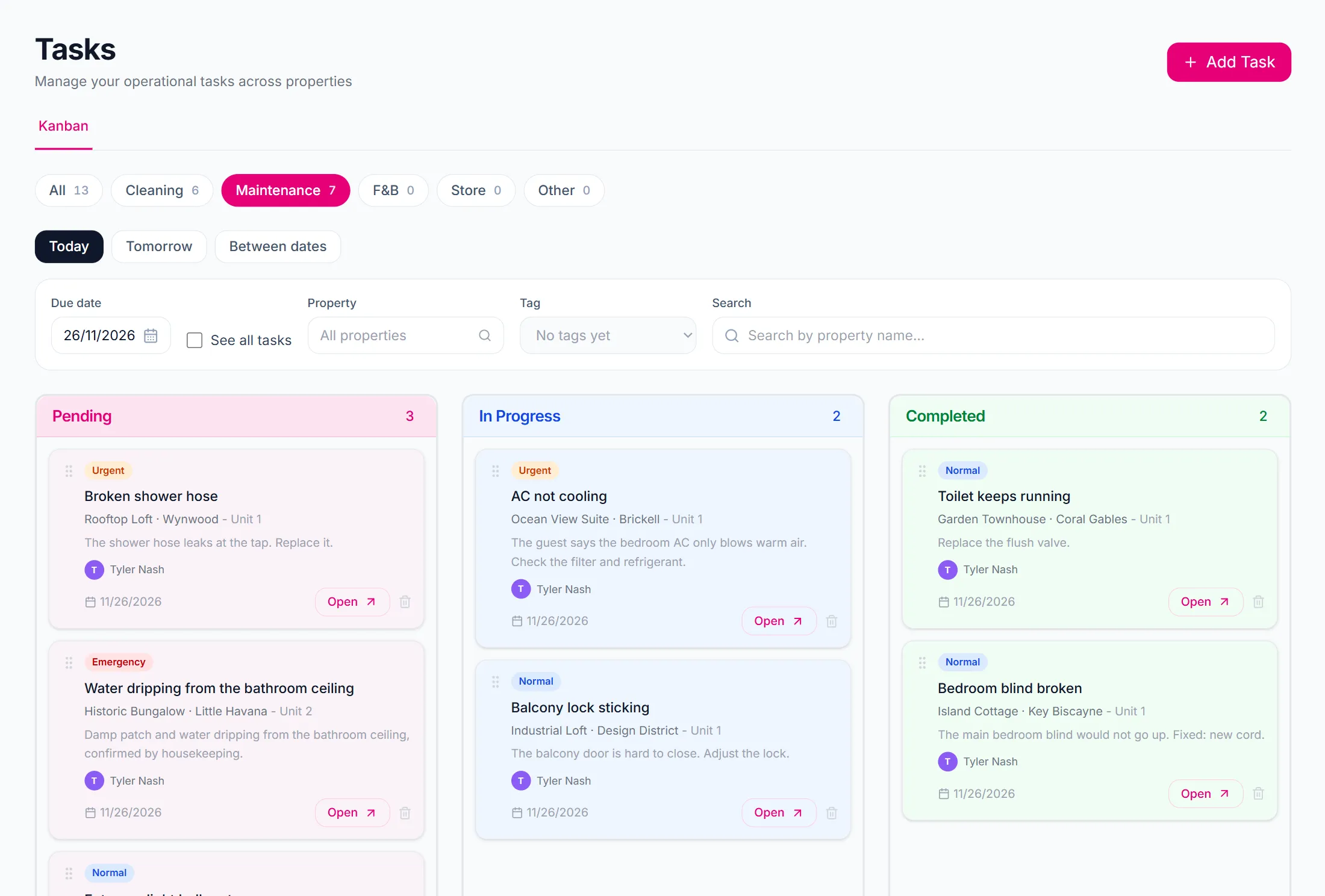
Whatever the team or a guest reports becomes a maintenance task, normal or urgent.
What's included.
Task board
Kanban by status, with filters by date, property and tag.
Useful tags
Deep clean, check-in today, guest already left. Your team knows what comes first.
Booking context
Previous and next booking on every task, with check-out and arrival times.
Maintenance
Repairs with priority, description and the person responsible, on their own board. On Business.
Automatic assignment
Cleanings are assigned according to the team's schedules. On Business.
Laundry and time clock
Laundry tasks, schedules and team clock-in and clock-out. On Business.
Everything in view.
- See every task for the day on one board
- Change the assigned person in one click
- Keep overall team management separate from each property's
- Completed tasks stay in the history
- Problems reported by guests don't get lost
Frequently asked questions.
Are cleanings created automatically?
Yes. Every booking creates the check-out cleaning, with the times and the number of guests.
Does my team need an account?
On Business, each team member logs in with their own access and sees the tasks assigned to them.
Can guests report problems?
Yes. In the digital guidebook, the guest reports the problem and your team gets the alert.
How does automatic assignment work?
On Business, cleanings are assigned according to each person's working hours.
Which plans include it?
Cleaning tasks are on every plan. Maintenance, laundry, schedules and automatic assignment are on Business.