
Too much back-and-forth for someone who just wants to host guests.
Details taken at the door.
Documents photographed on arrival, in a rush, with the guest tired and bag in hand.
Details chased by message.
Arrival time, who is staying, each guest's ID: asked for one message at a time.
House rules nobody agreed to.
Rules sent in a long message that guests skim, with no record that they accepted them.
How it works.
The guest gets the guidebook
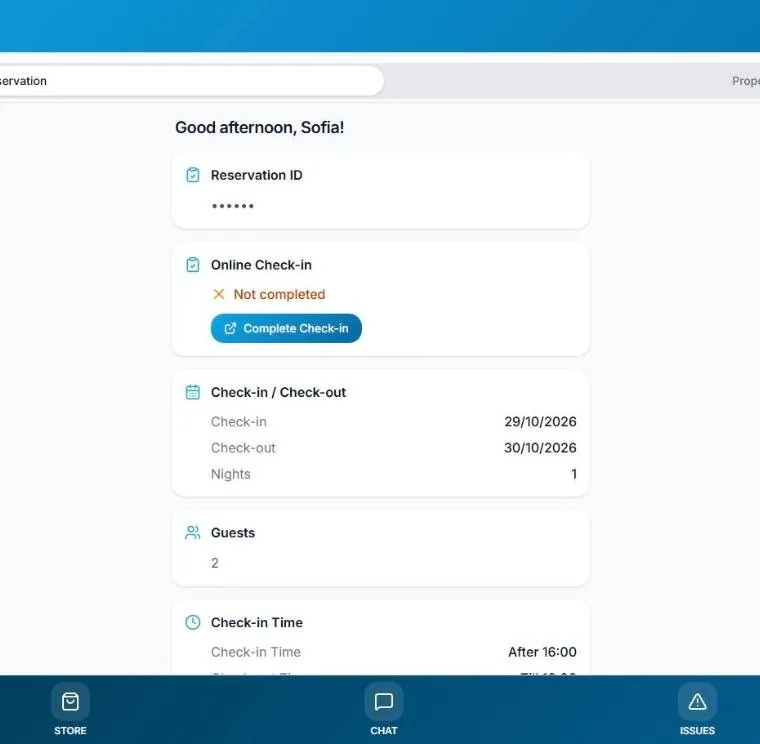
Before arrival, the booking's digital guidebook arrives by message, with the check-in button.
They fill it in on their phone
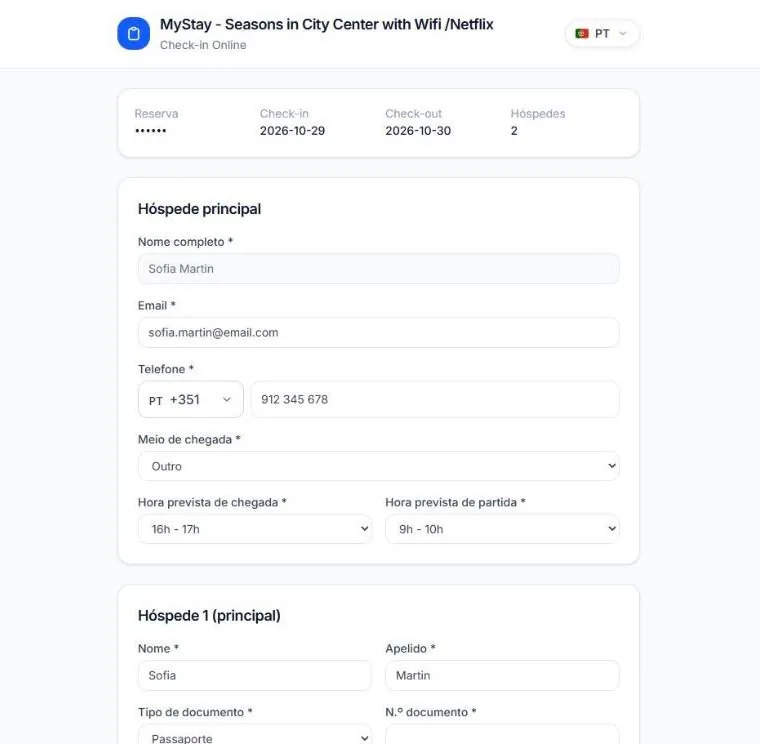
Contact details, arrival and departure times, each guest's details and ID document, in their own language.
The platform does the rest
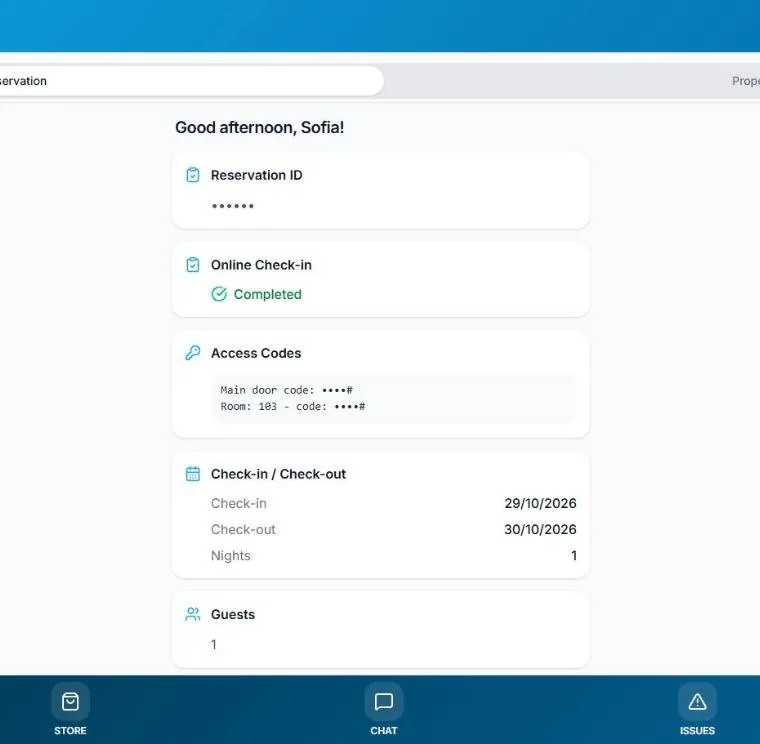
The details are saved with the booking and you see that check-in is done. From then on, the guidebook shows the access codes.
What's included.
Digital guidebook for each booking
Booking, times, check-in, property information, upsell store and chat in one place.
Check-in form
Lead guest and companions, with document type and number.
Arrival and departure times
The guest tells you when they expect to arrive and leave, so you can plan the cleaning and the welcome.
In the guest's language
The guidebook and the check-in form open in the guest's own language.
Codes only after check-in
Access codes appear in the guidebook once check-in is done.
Terms accepted
The guest accepts the house rules in the same step.
Always in control.
- You see the check-in status of every booking
- You write the house rules guests accept
- You choose when guests see their access code
- Guest data stays on the platform, not on personal phones
Frequently asked questions.
Does the guest need to install an app?
No. The digital guidebook opens in the phone's browser, from the link they receive.
What does the guest fill in?
Contact details, arrival and departure times, and each guest's details with their ID document. They accept your house rules in the same step.
What if the guest doesn't do the online check-in?
The booking is flagged with check-in still to do, and the access codes only appear in the guidebook once it's done.
Can I see who has checked in?
Yes. Every booking shows whether online check-in is done or still to do.
How much does it cost?
It's included in Pro and Business. On the free Host plan, online check-in costs $4 per listing/month.