
Handing over keys doesn't scale.
Waiting at the door.
Delayed flights, midnight arrivals and someone on call to open the door.
Codes that never change.
The same code for every guest is an open door for anyone who has already left.
Codes made by hand.
Creating, sending and deleting codes booking by booking takes up time every day.
How it works.
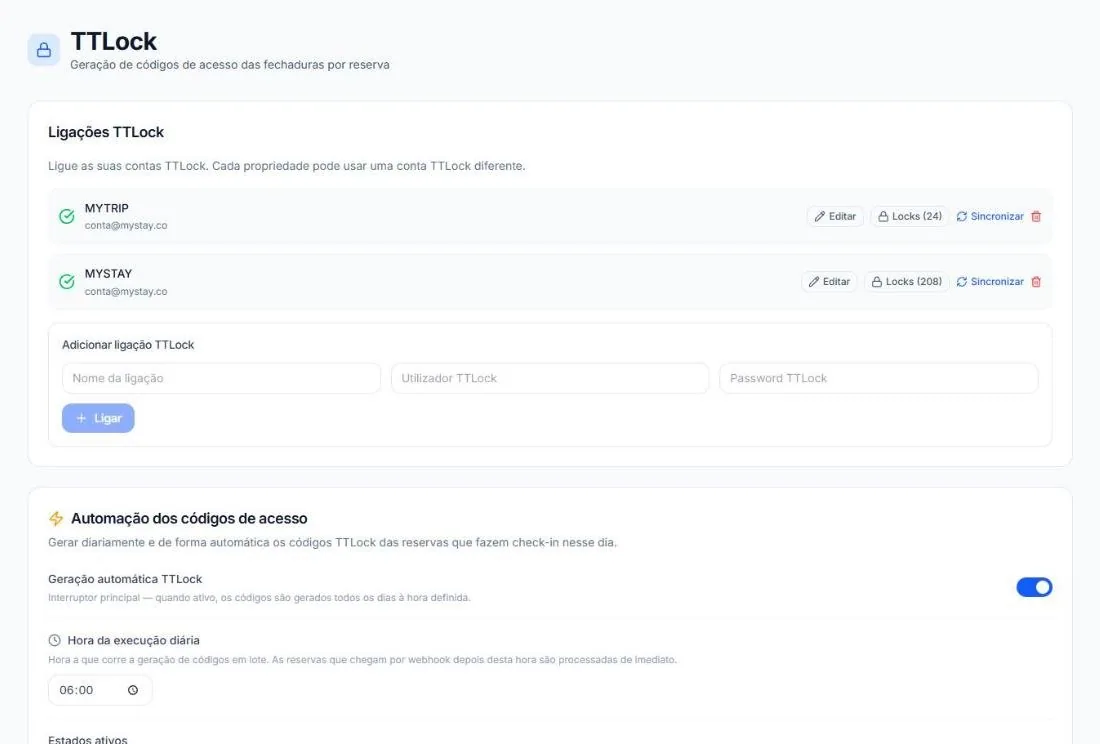
Connect your TTLock account
One account or several. Each property can use a different account, and the locks are imported.
Codes create themselves
Every day, at the time you set, the platform generates the codes for that day's arrivals. Bookings that come in later are handled straight away.
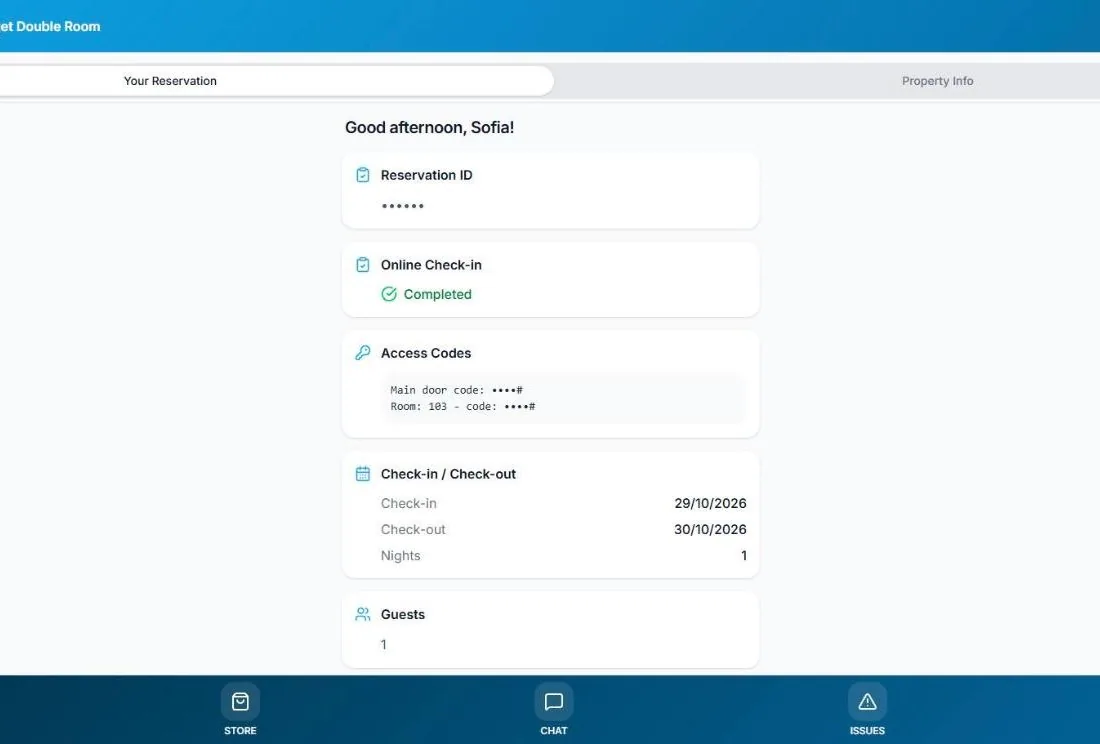
The guest gets it in the guidebook
Once online check-in is done, the codes appear in the digital guidebook, active from check-in time.
What's included.
MyStay and TTLock locks
Works with MyStay locks and with any TTLock lock.
Several accounts
Connect more than one TTLock account and choose which one each property uses.
Daily generation
One master switch and a run time. New bookings are processed immediately.
Main door and room
Codes for the building entrance and for the room or apartment.
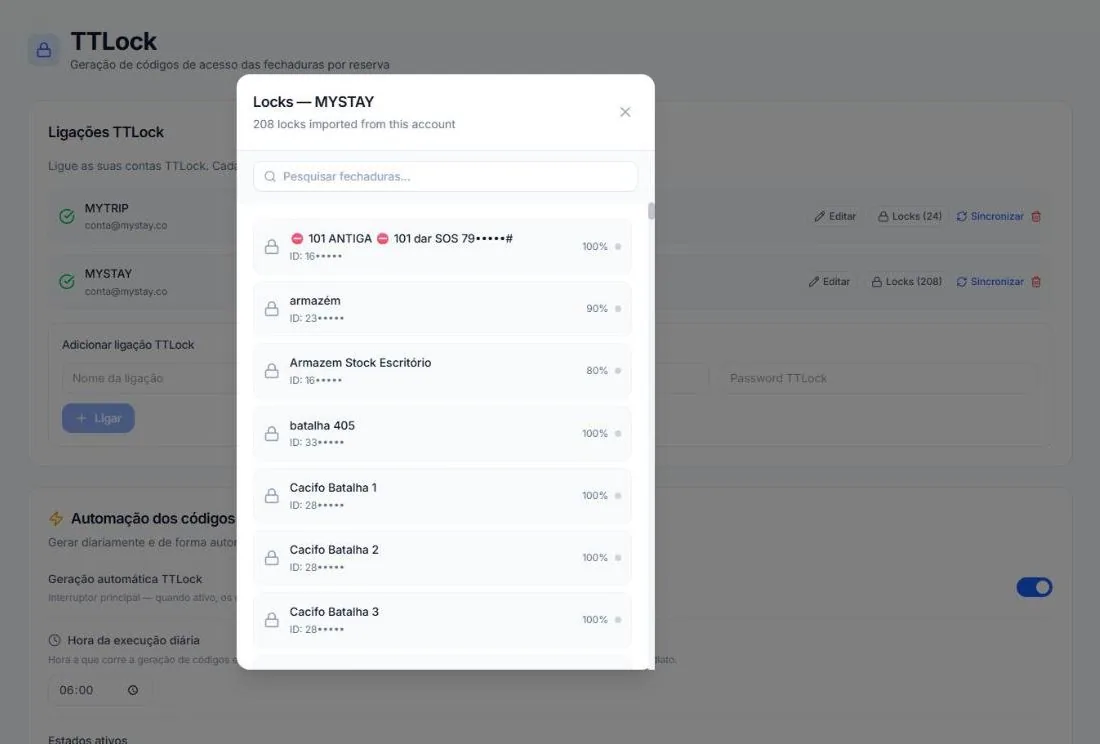
Lock status
List of imported locks, with battery level.
Code for the team
The team gets an access code from the platform, with no keys.
Access under control.
- Each code only works during the stay
- Codes only appear after online check-in
- You switch automatic generation on and off whenever you like
- You choose which booking statuses generate a code
- You see each lock's battery level before it fails
Frequently asked questions.
Which locks work?
MyStay locks and any TTLock lock.
When does the guest get the code?
After doing online check-in. The code appears in the booking's digital guidebook.
Does the code stop working after check-out?
Yes. Each code is valid between the booking's check-in and check-out times.
Can I have locks on different accounts?
Yes. Connect several TTLock accounts and choose which one each property uses.
How much does it cost?
It's included in Pro and Business. On the free Host plan it costs €2 per lock/month.